

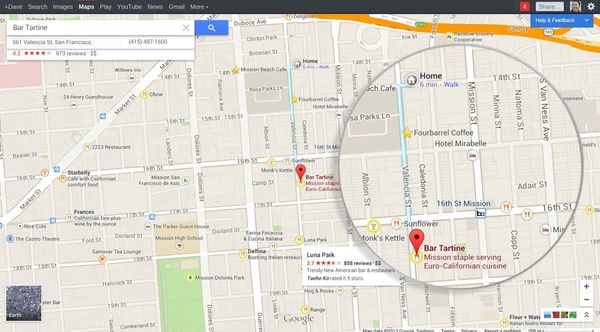
There’s a setting called "Frequent Locations"; as you go about your daily routine,
your iPhone makes note of where you are and how long you're there. When it starts
detecting patterns, it marks the spot as one such "frequent location." It (rather accurately)
assumes workplace location based on where you are during the day and your house address
based on where you are at night, and it tracks various repeated locations regardless of time:
friends' houses, favorite restaurants and the like. The word from Apple is that "this data is
kept solely on your device and won't be sent to Apple without your consent. It will be used
to provide you with personalized services, such as predictive traffic routing."
Yeah sure....Here's how to disable the feature:
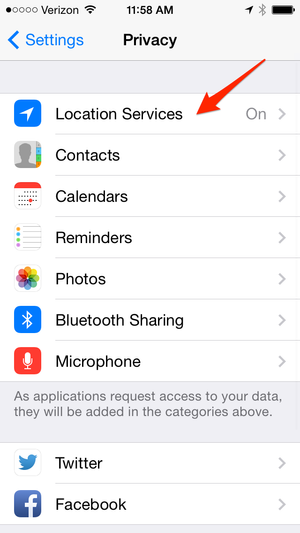
Go to Settings..then Privacy..
With location services "On," scroll down to System serivces, then tap on System services

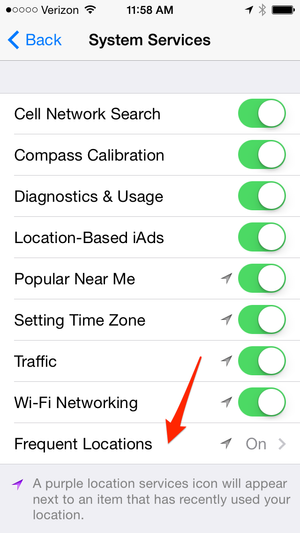
Scroll down to Frequent Locations, tap on Frequent locations, Tap clear history and
then tap off Frequent locations. Go Back to System Services, then back to the top of
Location Services. Tap Location Services button to turn off feature. Go back to
Privacy screen then settings to exit.
Source: Business Insider